 PEAcentral
For Phillips Exeter Academy students
Everything on campus, in one place.
Your class schedule, what’s due, which buildings are open, what’s for dinner, and how to walk there. One app, on your phone, working whether or not the wifi does.
Version 1.1.0 · 19 MB · Android 7.0 and up · free, and there is no account to make

Five tabs
Dashboard
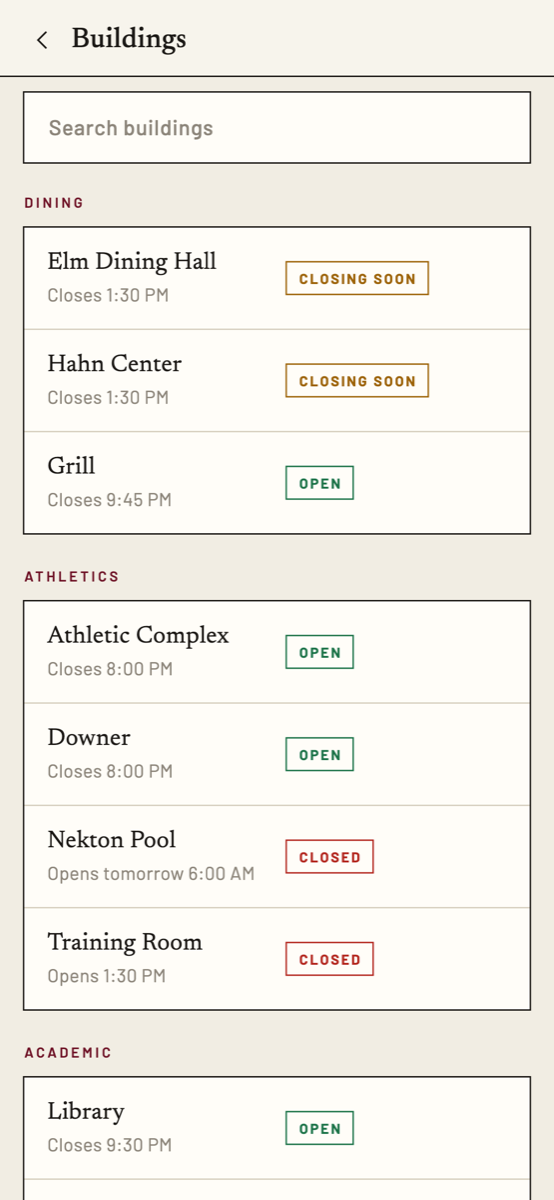
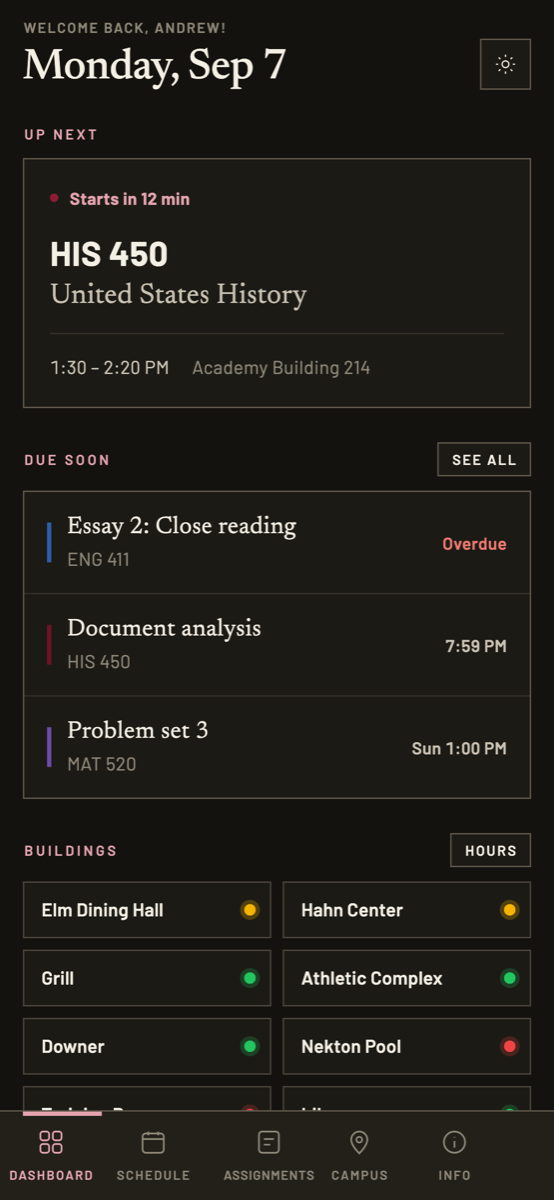
What’s next and what’s close to its deadline, plus a row of buildings with a live open or closed dot against each one.
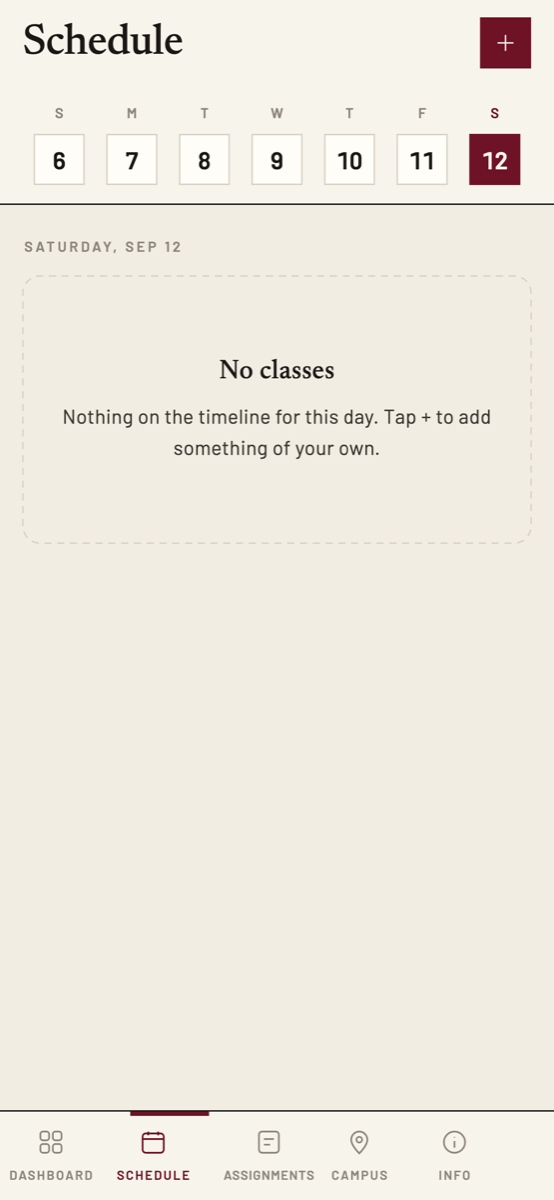
Schedule
Your real timetable, read from the student portal’s calendar link, not a generic block plan. Add your own events with the phone’s own time picker.
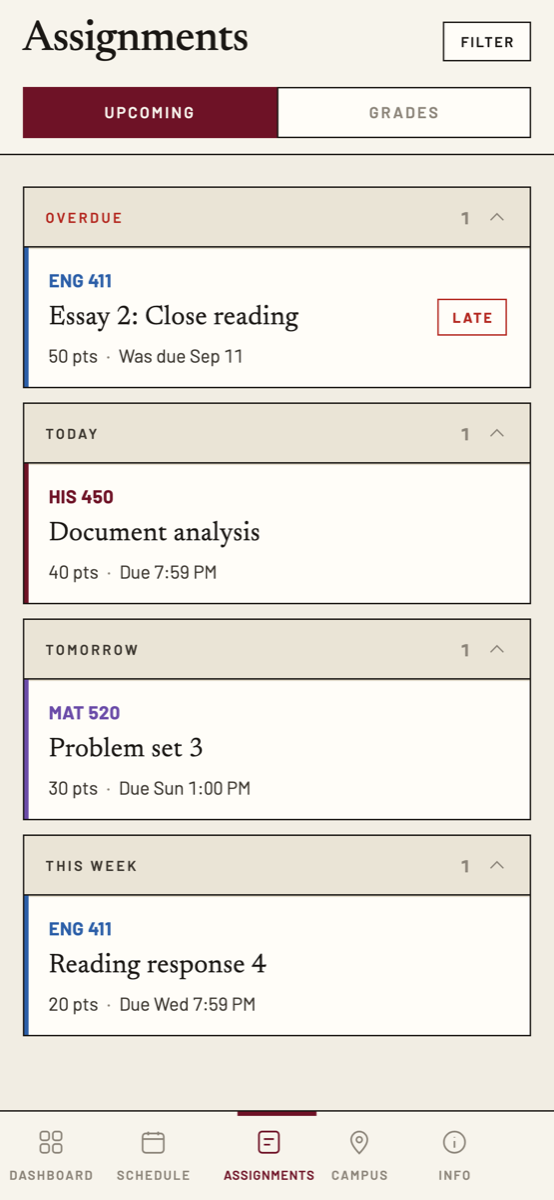
Assignments
Canvas without the browser: coursework grouped by when it is due, filtered by course, grades behind a toggle. Only work Canvas can actually take a submission for is ever marked overdue.
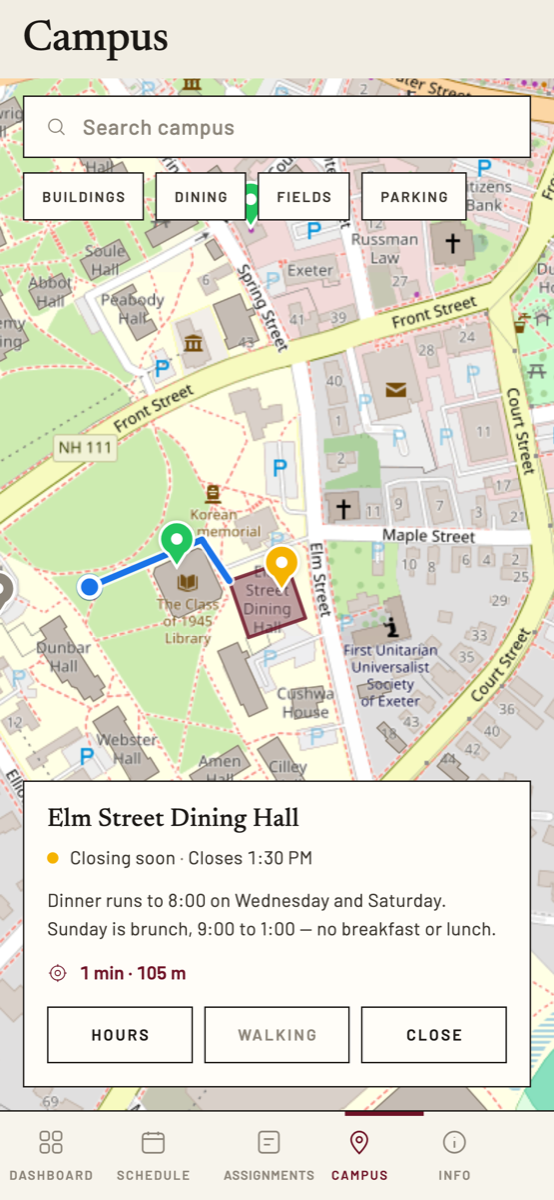
Campus
43 building outlines and the real walkway network, so directions follow the paths instead of cutting across the quad. Your own position is opt‑in and never written down.
Info
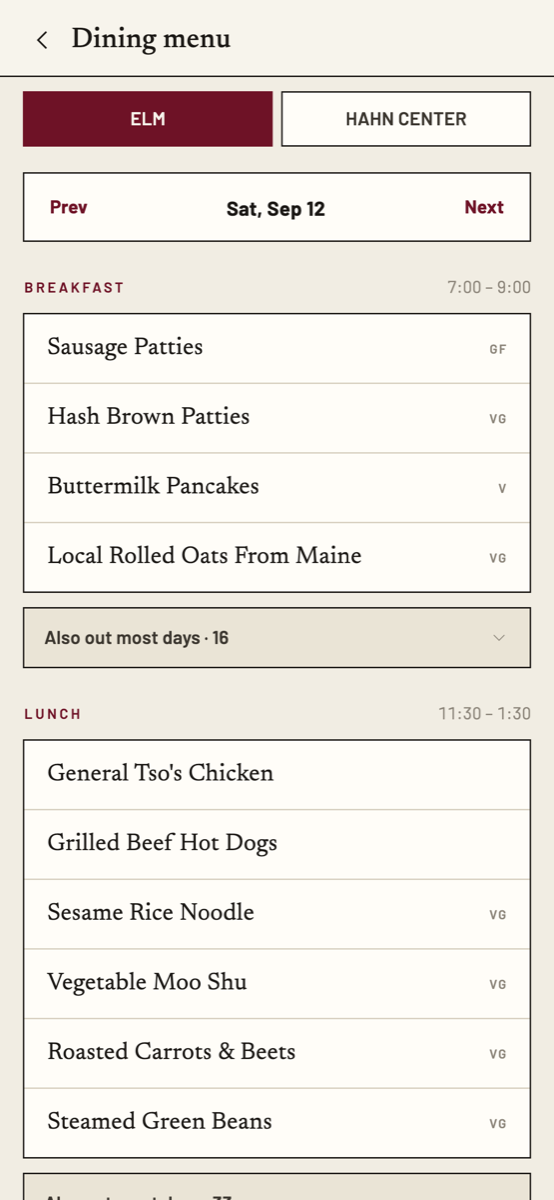
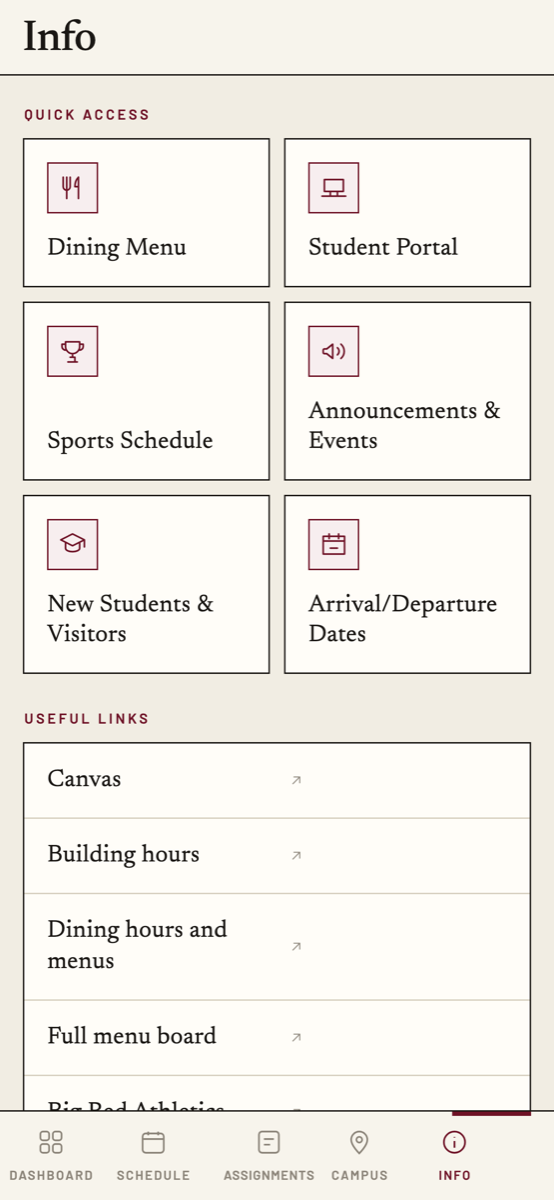
Dining menus, building hours, tap‑to‑call numbers, term dates, announcements and the links you actually use.
Offline by default
Everything renders from the last copy it had and refreshes behind you. A dead spot on campus is a normal state here, not an error screen.
Screens
Light and dark.
Privacy
There is no server with your name on it.
PEAcentral has no backend and no accounts, because it does not need either. Nothing about you is stored anywhere but your own phone.
Your credentials stay put
The calendar link and the Canvas token live in the phone’s own keystore, and are sent to exactly two places: Exeter’s servers and Canvas. Never anywhere else, and never written into a cache or a log.
Location is never recorded
The map’s blue dot only appears after you tap the locate button. The fix lives in memory while the Campus tab is open and dies with it. The permission asked for is while‑in‑use.
Shared data is just files
Hours, menus, the map and the phone list are static JSON served from this site. The app fetches them, caches them, and asks for nothing back. There is no analytics and no tracking of any kind.
Download
Install it on your Android phone.
PEAcentral is not on the Play Store, so you install the file directly. Android calls this a “unknown app” and will warn you once; that is expected, and the steps below are the whole of it.
-
Download the APK
Tap the button below on the phone you want it on. Chrome will ask you to confirm the download. It does that for every file that is not from the Play Store.
-
Allow your browser to install apps
Open the downloaded file. If Android says installs from this source are blocked, tap Settings on that prompt and turn on Allow from this source. You are giving the permission to Chrome, and you can turn it off again afterwards.
-
Install, then open
Play Protect may add a second prompt about an unrecognised developer. Tap More details, then Install anyway. It says that about every app that did not come from the store.
-
Connect your schedule and Canvas
Onboarding asks for your calendar link from the student portal and a Canvas access token, and links straight to both pages. Each one is optional and each is tested before it is saved, so you find out immediately if it is wrong.
The files
SHA‑256, arm64-v8a
1d900c9de2cc4a06667ba4646f93cf9878f2cc2c438dca8e4c53c2145f786e73
That is what lets a later version install straight over this one. If you ever have to uninstall instead of updating, your calendar link and Canvas token go with it and you set them up again.
iPhone
Not yet.
Putting an app on the App Store needs an Apple Developer account, and the person holding it has to be 18. Android has no such gate, which is why the file above exists and an iPhone build does not.
A version that runs in Safari and adds to your Home Screen is being built to cover the gap. It is not finished and it is not linked here yet. When it works, it will be.